SuperCommands vs Toby: Free Unlimited, Open-Source Toby Alternative for Chrome
Compare SuperCommands with Toby for saving tabs, organizing browser work, command search, local-first storage, open-source access, and pricing.

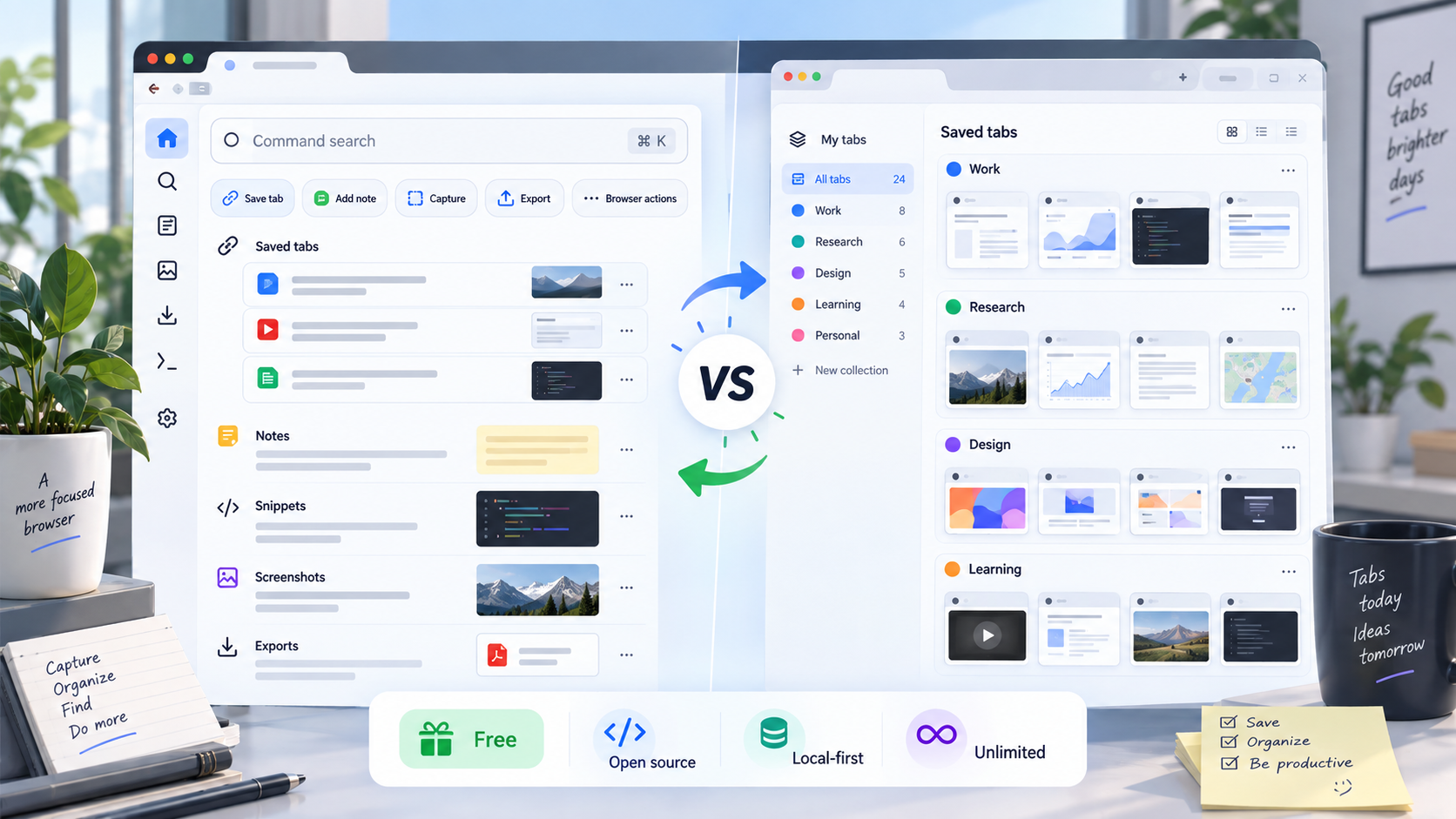
Toby is a polished tab workspace. It turns your new tab page into visual collections, with sync, spaces, search, notes, and team-friendly organization.
SuperCommands takes a different route. It is a free, open-source Chrome command workspace for links, sessions, notes, snippets, commands, and browser actions.
Existing SuperCommands core features are 100% free forever with unlimited usage. That includes sessions, links, notes, snippets, shortcuts, screenshots, exports, and command workflows. If SuperCommands adds premium features in the future, those will be separate from the existing free core.
The real choice is simple: do you want a visual tab board, or a faster command center that keeps saved browser work close?
TL;DR
Cheapest: SuperCommands, open-source and 100% free forever for existing core features.
Best visual board: Toby, new-tab collections.
Best command workflow: SuperCommands, Alt + S command bar.
Best for paid sync: Toby, cloud workspace plans.
SuperCommands vs Toby
Toby is a visual tab workspace. SuperCommands is a free command center for links, sessions, notes, snippets, prompts, shortcuts, screenshots, exports, and browser commands.
If your work is mostly saved tabs, Toby fits. If your browser work is broader, SuperCommands gives you more from one searchable surface.
| Area | SuperCommands | Toby |
|---|---|---|
| What it is | Command center for browser work | Visual workspace for saved tabs |
| Best for | Sessions, links, notes, snippets, shortcuts, screenshots, exports, and commands | Collections, spaces, saved tabs, and visual tab cleanup |
| Free usage | Existing core features are 100% free forever and unlimited | Free Starter plan has limits |
| Open source | Yes, Apache-2.0 | No public source-first positioning |
| Ideal user | Someone who wants a fast, searchable command workflow | Someone who wants a visual new-tab board |
Feature Comparison
Toby's own Chrome Web Store listing describes Toby as a visual workspace for saving sessions into collections, syncing across devices, searching saved tabs, using Toby Links, notes, Toby Next, and AI-assisted tab organization. Toby's help center also says its Starter plan allows up to 60 saved tabs, while paid plans add unlimited saved tabs, advanced search, and duplicate removal.
| Feature | SuperCommands | Toby |
|---|---|---|
| Usage limits | Unlimited usage for existing sessions, links, notes, snippets, shortcuts, screenshots, exports, and commands | Starter plan supports up to 60 saved tabs |
| Tab/session saving | Save sessions and links from a command workspace | Save sessions into collections and spaces |
| Search style | Command search across browser work | Instant search; advanced search is part of paid plan messaging |
| Notes | Saved note objects as part of the free core | Notes inside collections/workspace |
| Shortcuts | Keyboard commands and shortcut-driven workflows | Toby Links for quick access |
| Browser actions | Built-in browser commands, screenshots, exports, snippets, and prompts | Tab organization and collection workflows first |
| Storage model | Local-first core | Cloud sync across devices and browsers |
| Account needed | No account needed for core local workflows | Account/sync model for Toby workspace |
| Future paid features | Existing core stays free; only future premium features may be paid | Paid plans unlock unlimited tabs and advanced features |
Use Cases
Toby fits people who like a visual new-tab board. SuperCommands fits people who want to type, search, save, capture, export, and reuse browser work from one command surface.
| Use case | SuperCommands example | Toby example |
|---|---|---|
| Save a research set | Press Alt + S, save a session, and attach notes or links. | Save tabs into a collection or space. |
| Return to frequent pages | Search saved links, snippets, notes, and sessions together. | Open a saved collection from the new-tab dashboard. |
| Capture page evidence | Run c screen and keep the source link nearby. | Add notes in a workspace, but screenshots are not the core flow. |
| Export page assets | Run dat for tables or dai for images. | Not a data export workflow. |
| Organize visually | Use tags, notes, and command search. | Use visual collections, spaces, and Toby Links. |
Pricing Comparison
Toby's free Starter plan is useful for light tab saving, but it caps saved tabs at 60. Toby's help center says unlimited saved tabs, advanced search, and duplicate removal are part of the upgrade path.
SuperCommands is different because the existing core browser workflow is open-source, 100% free forever, and unlimited: links, sessions, notes, snippets, shortcuts, screenshots, exports, and commands. Premium features may be added later, but they are separate from the existing free core.
| Plan | SuperCommands | Toby |
|---|---|---|
| Free plan | 100% free forever for existing core features, unlimited usage | Free, 60 saved tabs |
| Existing sessions, links, notes, snippets, shortcuts, screenshots, exports, commands | Included in the free core | Core tab organization included, saved tabs capped on Starter |
| Unlimited saved tabs / advanced search / duplicate removal | Unlimited usage for existing core features | Upgrade path in Toby's paid plans |
| Future premium features | May be paid later, separate from the existing free core | Productivity and Team plans for advanced/team needs |
Key Takeaways
Toby is the better pick if you want a visual new-tab dashboard for saved tabs, collections, and shared workspaces.
SuperCommands wins if you want an open-source command center where existing core features are 100% free forever with unlimited usage.
Toby is built around returning to saved pages. SuperCommands is built around saving, finding, launching, inserting, capturing, and exporting from one surface.
If your workflow is more than tab cleanup, SuperCommands is the cleaner Toby alternative for Chrome.
Try SuperCommands Extension
Access 1,000s of browser workflow commands to save time.Built for people who like moving around the browser with shortcuts.
Use Cases:
c morning→ Opens Gmail + Calendar + Tasksc research→ Opens Google + ChatGPT + Redditc writing→ Opens Google Docs + ChatGPT + Grammarlyc meetings→ Opens Calendar + Google Meet + Notesc social→ Opens LinkedIn + X + Instagram + Facebook